Get Started
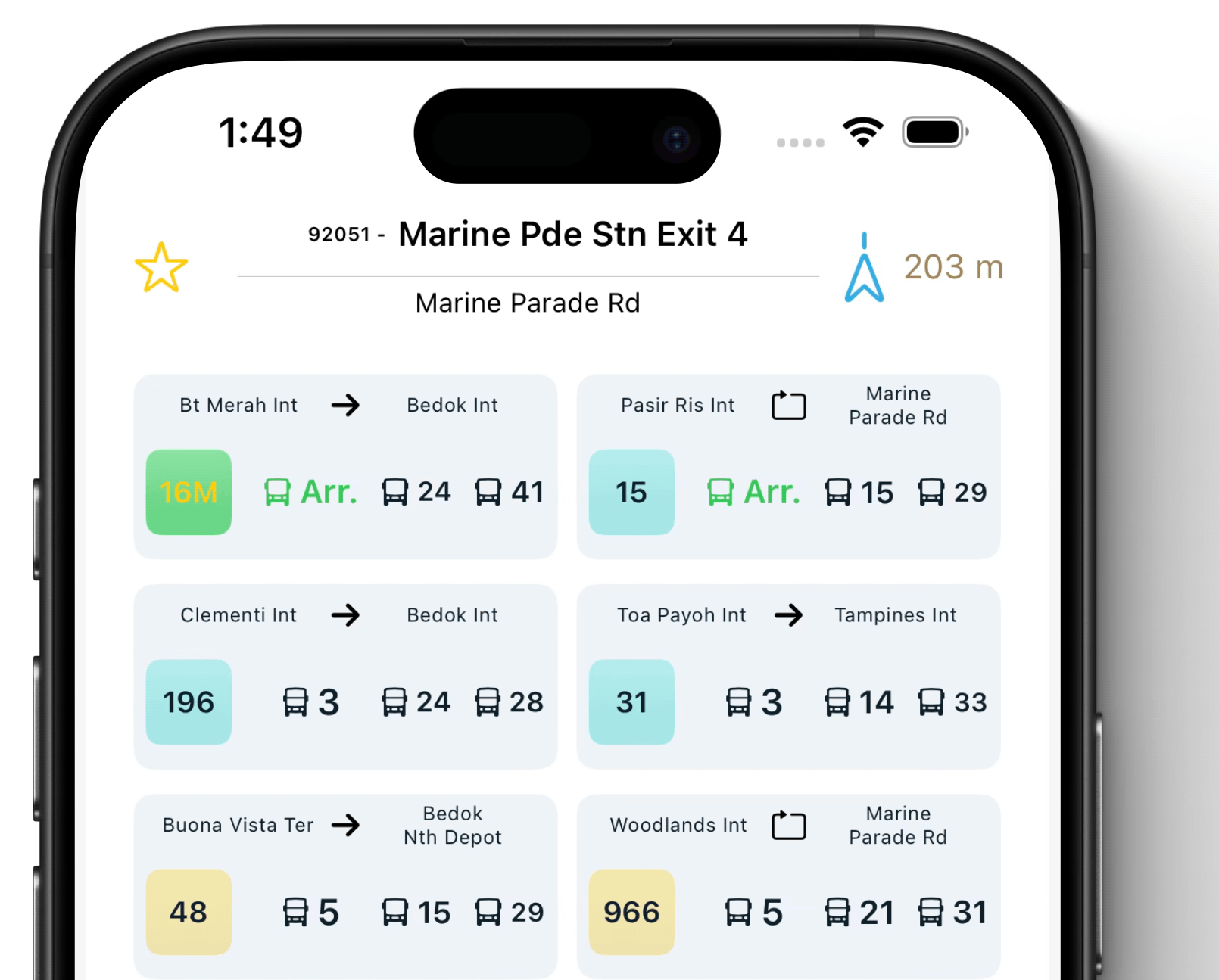
Selected stop Information
- Scroll down from top to refresh selected Stop Information
- Tap to select specify bus service for tracking
- Click ⭐️ to add to favorite

Action link button
-
🟩 Start tracking selected bus timing in shortCuts App

-
🟦 Check bus stop/ bus service detail in Maps App
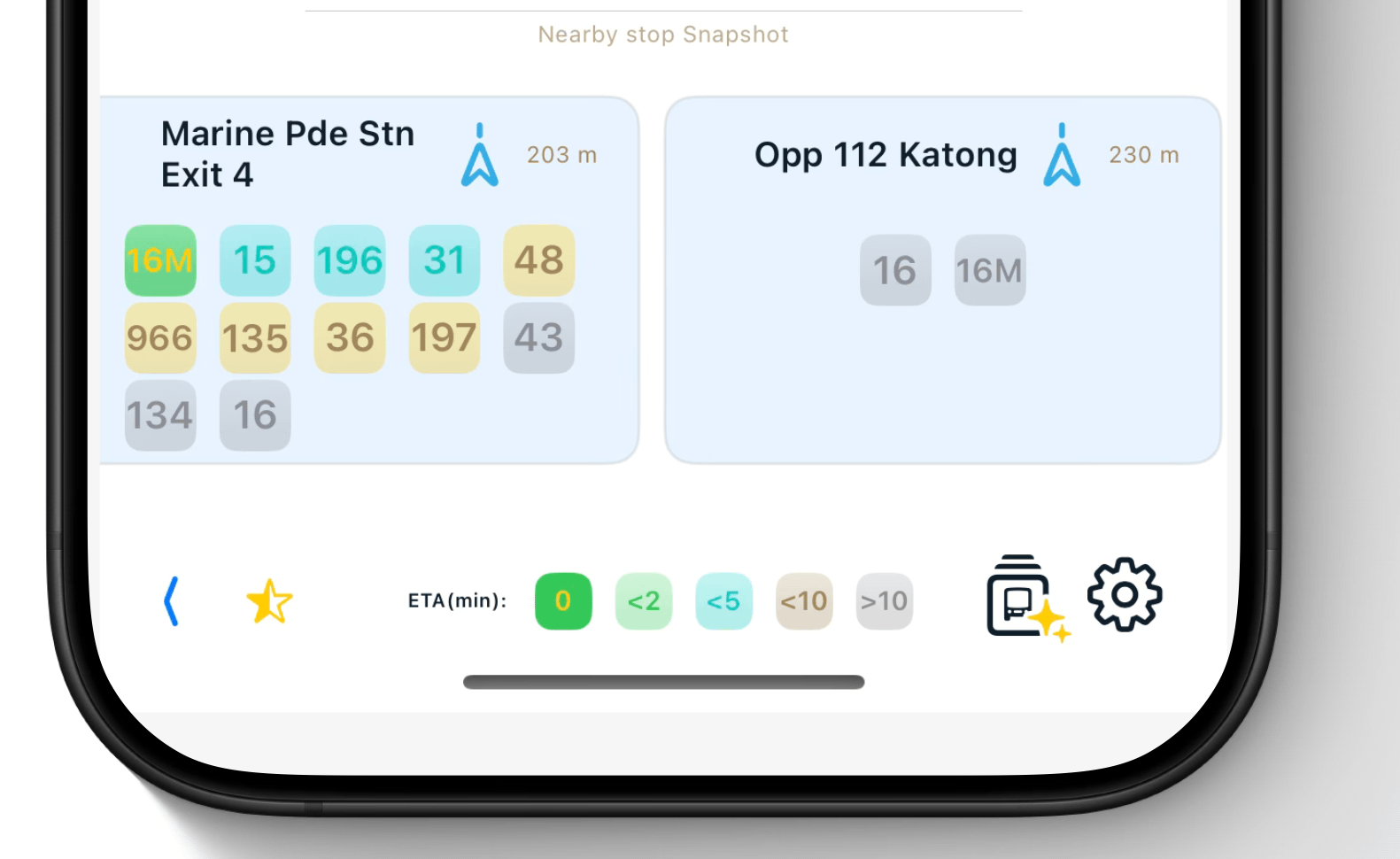
Nearby stops and footer
- Nearby bus stops and bus service snapshot, scroll to view more
- Show favorite only & setting buttons
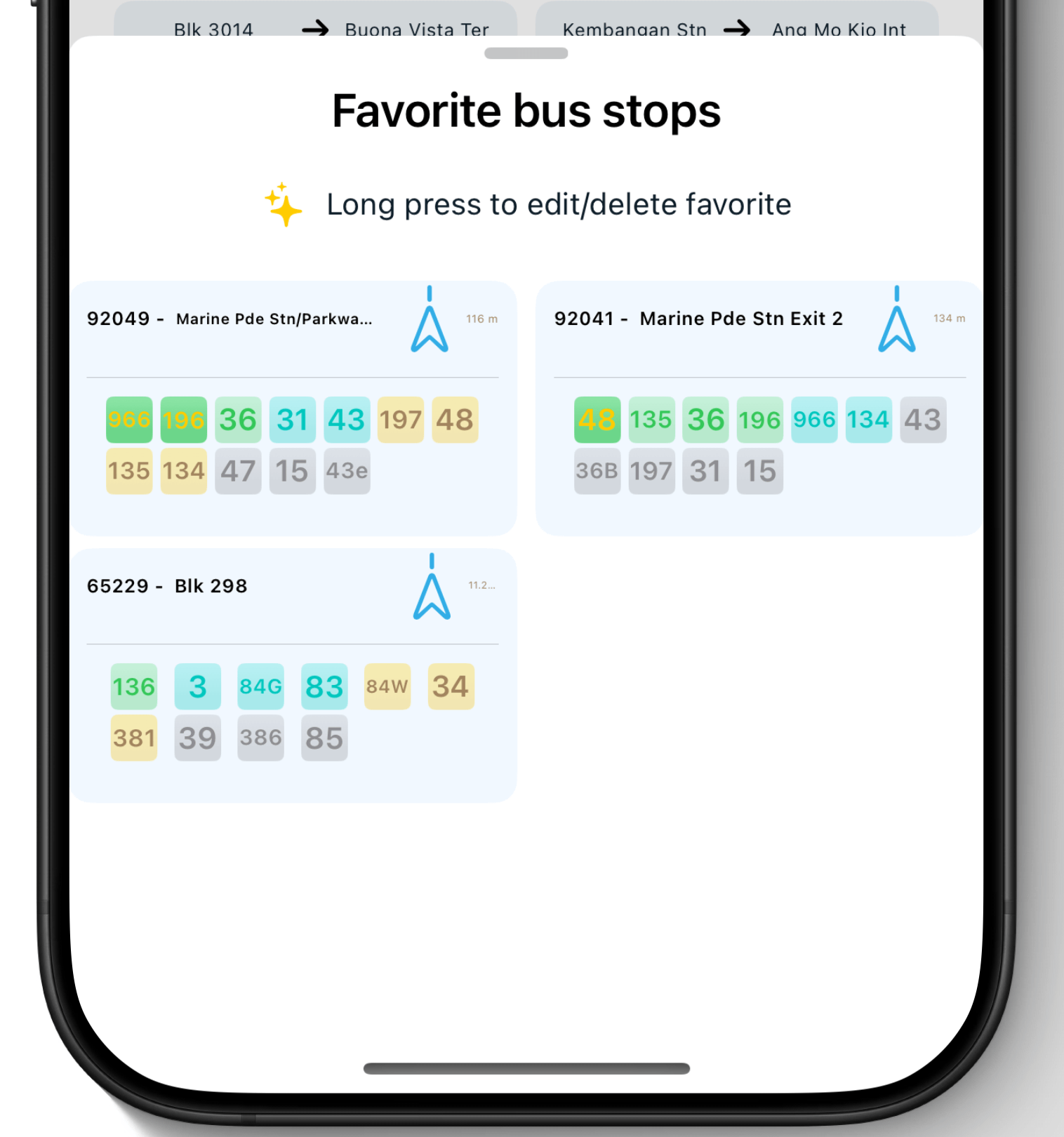
Favorite List
-
Long press to start a edit/delete
-
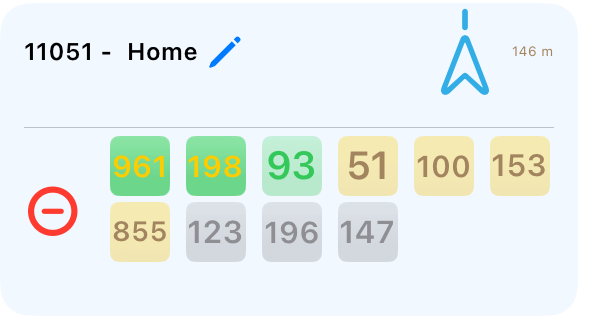
Tap “🖊️” to editing name and “⊖” to delete
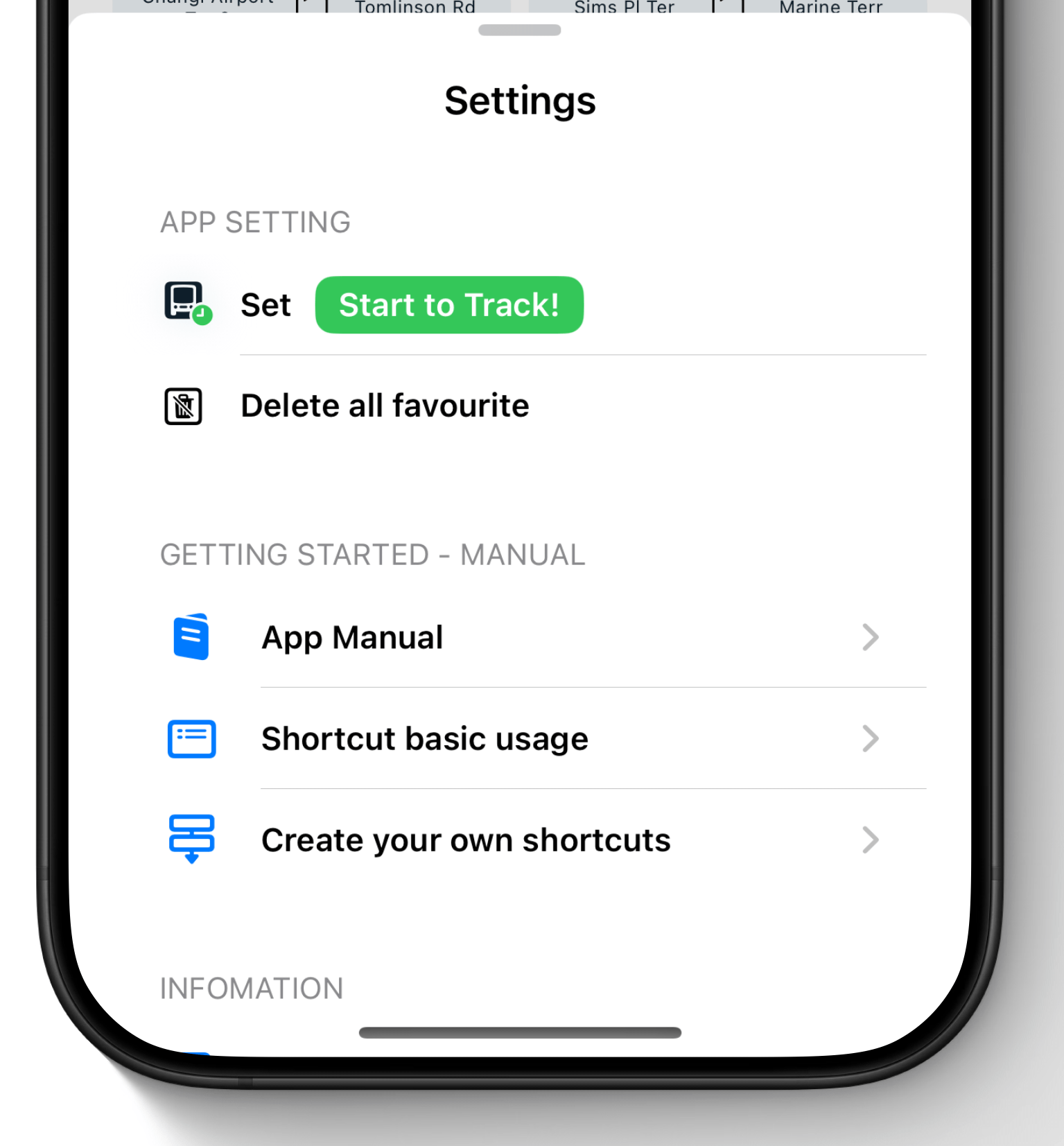
Setting
- Edit the “Start to Track” button linked shortcut name(default:“Track Bus”)
- Other manual and informations of the App